

6 Signs It's Time to Replace Your School's Visitor Management System
Jump to Section
Want to see more?
Bring the power of GoGuardian to your school or district today.

Summary
- It's time to replace your visitor management system when staff work around it, it only runs on the vendor's proprietary hardware, or the cost goes up with every new entry point.
- Other warning signs include custody and do-not-contact rule applications that depend on who's at the desk, slow answers to basic questions about who was on campus, and visitor check-in that's disconnected from student movement.
- A strong replacement runs on the devices and badge printers you already own, screens against sex offender registries and your own watchlists, ensures consistent visitor screening across your campuses, and charges a flat price per site.
How do you know your visitor system needs replacing? Watch how your front office uses it. If staff work around it, if it only runs on certain hardware, if each new door adds to the bill, or if it can't easily answer basic questions about who was on campus, it's time to look at other options.
The average school checks in 30 to 50 visitors a day, and each one is a safety decision someone at the front desk has to make in seconds. Here are six signs your current system is making that decision harder.
1. Staff keep a paper backup "just in case"
If the clipboard comes out whenever the kiosk stalls, your electronic visitor sign-in system for schools is no longer your system of record. A paper log can't screen a visitor against a watchlist or alert anyone to a match, and finding a name in it later means flipping through pages by hand. When a backup gets used regularly, staff have stopped trusting the main system to work when the line gets long.
2. It only runs on hardware you had to buy specifically for it
Dedicated kiosks, special cables, and manual driver installs add more things that can break. When one device goes down, the front desk stalls and IT gets the call.
Ask whether a replacement can run on the Chromebooks, iPads, and Windows devices your schools already have, and whether it can print to the badge printers already sitting on the desk. If it can, there's less to buy up front and less for IT to maintain over time.
3. Costs climb with every building
Per-kiosk fees, add-on licenses, and charges for extra entry points make visitor management hard to budget. They also push buildings toward different setups. One school adds a second check-in point at a side entrance, while another can't justify the cost and makes do with one. When adding a check-in point means adding a line item, the district ends up running multiple processes instead of one standard.
4. Custody and do-not-contact rules live in someone's memory
Watchlist matches are uncommon: About 400 of every million visitors match a federal, state, or local watchlist. When a concern does come up at the front desk, it's far more often a custody or do-not-contact issue than a sex offender match.
Court orders and pickup restrictions should surface at check-in, and the right person should hear about it right away, no matter who's working the desk that day. If alerts go to a single inbox, or staff finds out after a badge has already printed, the outcome depends on timing and luck.
5. You can't answer simple questions fast
Who's in the building right now? Who visited last Tuesday afternoon? Is this month's traffic normal for this time of year?
If answering means exporting logs, scrolling through a spreadsheet, or calling another building, you're missing reporting the district needs. These questions come from security officers, principals, and board members, and they rarely leave time to dig.
6. Check-in and student movement live in separate tools
Late arrivals and early checkouts happen in one system, hall passes in another, and the front office enters the same details twice. Some schools see more than 100 student pickups outside regular dismissal, so that extra step adds up quickly.
A system that creates the hall pass at check-in and shows visitors and students with active passes in one view cuts out the double-entry during the busiest mornings and afternoons.
What should visitor management software for schools include?
When you compare options, look for software that:
- Runs on devices you already own, either as a self-service kiosk or as a staff-assisted check-in station
- Prints to your existing badge printers without requiring a special driver install, so staff never handle setup
- Includes unlimited kiosks for one flat price per site, per year
- Screens visitors against sex offender registries and your own custody, do-not-contact, and other watchlists, with alerts routed by incident type to the individuals you select
- Welcomes visitors in their own language with automatic translation at check-in
- Keeps your school in control of visitor data, including how it’s stored and who can see it
What does switching to GoGuardian Visitor actually involve?
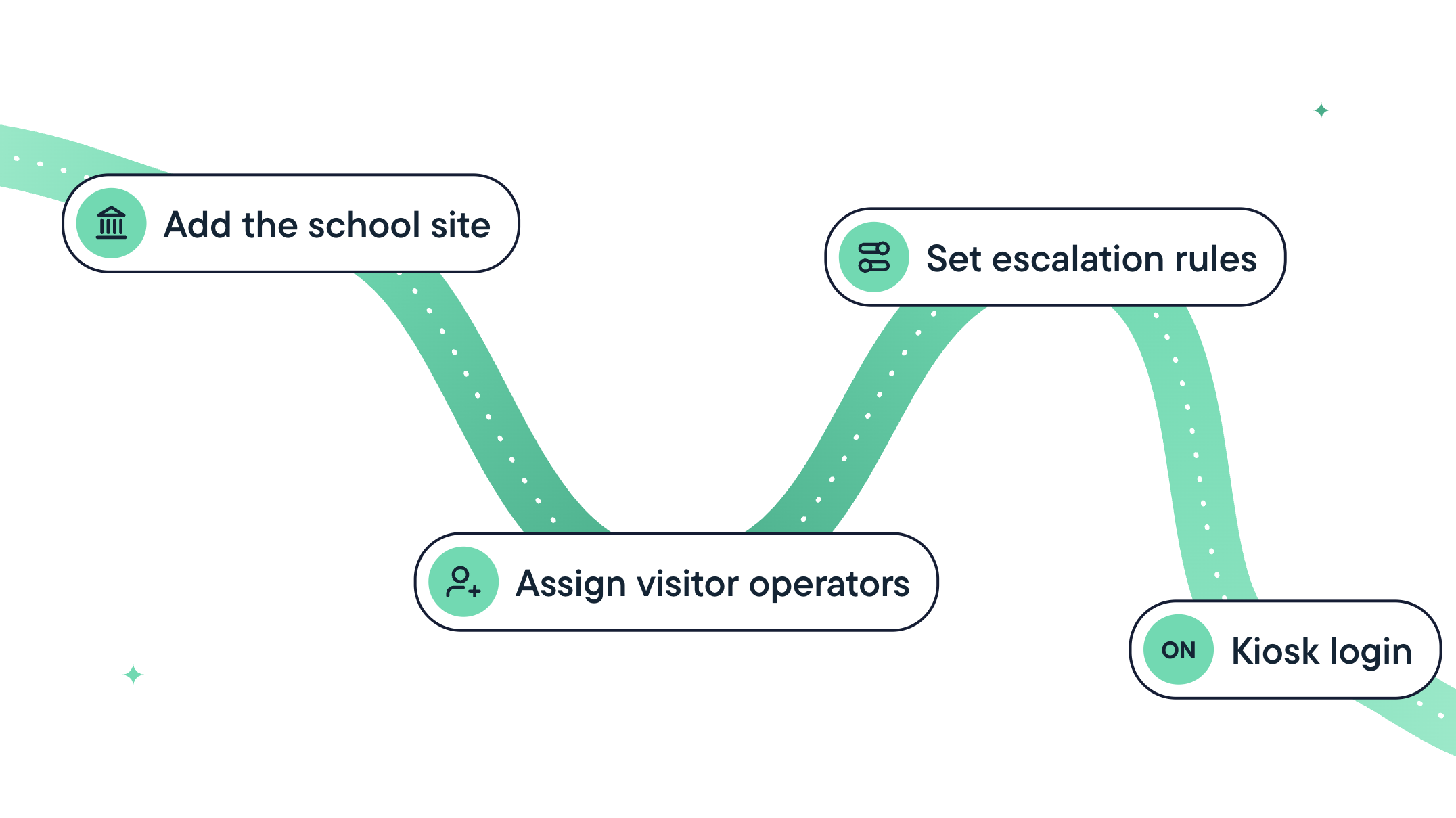
Setup comes down to four tasks:
- Add your school sites.
- Name your front-desk operators.
- Choose who gets notified when a screening alert triggers.
- Create a kiosk login, if you plan to use a kiosk.
See what a front desk that doesn't need a backup plan looks like
If a few of these signs sound familiar, you're likely already comparing options. GoGuardian Visitor, the most complete K-12 visitor management solution, runs on the hardware your schools already use and works with most badge printers. Every site costs one flat rate, including unlimited kiosks, and schools using GoGuardian Hall Pass can check students out and create their passes in the same step.
Read more
Introducing GoGuardian Visitor: Visitor Management Built for K-12
One Safety Standard, Every Building: Uniting Visitor Check-In and Hall Passes
How Do Schools Enforce Custody Orders at the Front Desk?
How Long Does It Take to Implement a School Visitor Management System?
Do Schools Need New Hardware for a Visitor Management System?
How to Introduce a New Visitor Check-In System to Parents and Guardians
6 Signs It's Time to Replace Your School's Visitor Management System

GoGuardian Team
Related Posts

How to Introduce a New Visitor Check-In System to Parents and Guardians
Switching to a new visitor check-in system? Learn what parents and guardians will want to know in advance, with a free communication template included.

Do Schools Need New Hardware for a Visitor Management System?
Most schools don’t need new hardware for K-12 visitor management. See what check-in requires and how it can run on Chromebooks, iPads, and Windows devices.
How Long Does It Take to Implement a School Visitor Management System?
Learn what goes into implementing a school visitor management system, what setup estimates may leave out, and five questions to ask vendors before you sign up.
Bring the power of GoGuardian to your school or district today.