

Can you manage screen time if you can't measure it?
The only platform that helps districts measure, understand, and actively manage student screen time through reporting, policy setting, and real-time classroom control.
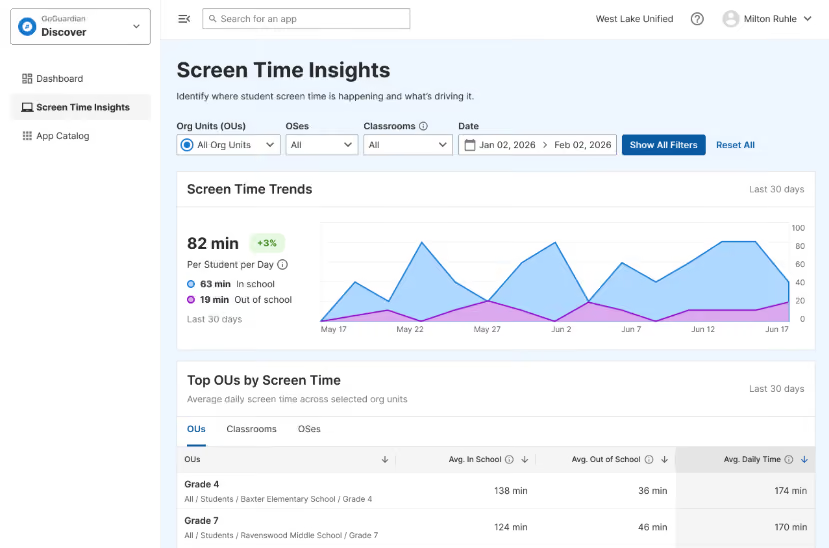
Market-leading scale across every OS



Broad visibility. Granular control.
See complete reporting on screen time across devices, and set district-wide controls while also allowing classroom-level management to maximize instructional value for every student.
Centralized visibility and control over student screen time, enabling compliance reporting, parent transparency, and policy enforcement.
.avif)
Deep, actionable insights into screen time and screen value, helping you optimize technology usage and demonstrate impact.
.avif)
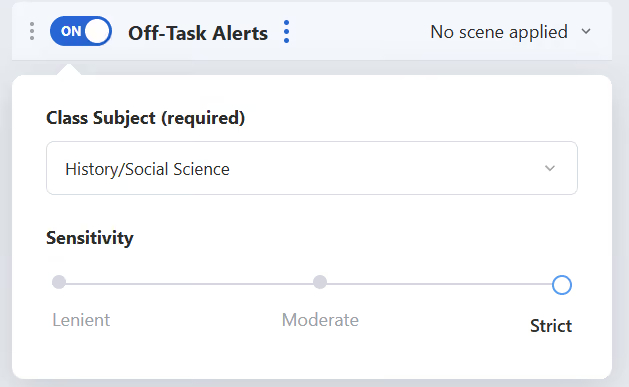
Actively manage student screen time in the classroom to keep students engaged, on-task, and learning effectively.
.avif)
New features coming for back to school 2026-27.
We’re innovating to solve our customers’ toughest challenges.
Parent Reporting
Generate individualized student screen time summaries that give families the transparency they’re asking for.
Leadership Insights
Export board-ready reports with key metrics and breakdowns. No manual data aggregation required.
The board wants a screen time report. Here’s how it comes together.
Most platforms give you a piece of the picture. GoGuardian connects district reporting, screen value analysis, and classroom control, so a request that used to mean weeks of manual work becomes a few clicks.
Admin pulls the district picture.
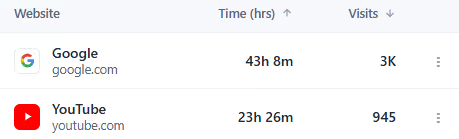
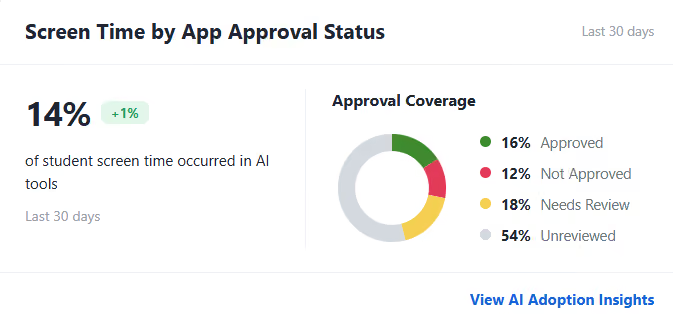
Discover proves the value.
Teacher makes it real in the classroom.
See what your students’ screen time is really telling you.
Get a personalized walkthrough of how GoGuardian helps your district measure, understand, and manage screen time.