


GoGuardian Teacher Student Report enhancements: Know exactly how each student spent class time
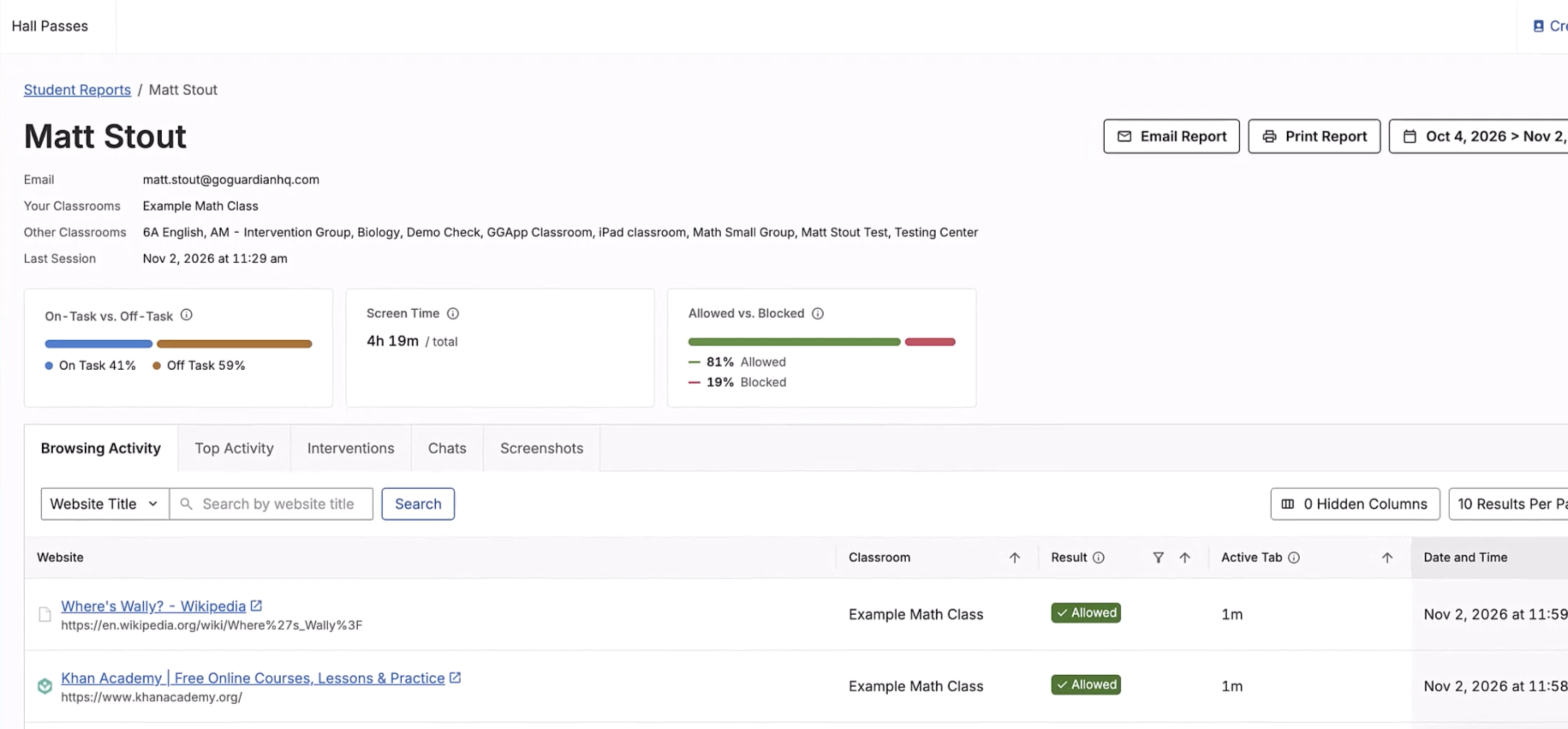
New enhancements to Student Reports in GoGuardian Teacher put each student's activity in one view, including browsing activity and time spent across websites and resources, so you spend less time gathering details and more time on meaningful, individualized follow-up. You can also search browsing activity by website to check specific sites students should or shouldn't be on, without scrolling through their entire browsing history - saving you time. Just search by name to open any student's report.
Find the Student You Need Without the Search: Search by name and open an individual report without sorting through separate records.
Understand the Session Without Doing the Math: See reported time spent on allowed vs blocked websites, on-task and off-task time,* active and idle time, total screen time, and teacher interventions in one summary instead of calculating and comparing activity manually.
Separate Active Use from Background Time: Review active and inactive tab time in aggregate to understand whether tabs were actively in use or simply left open in the background. For each website, see total time, result (allowed, blocked by Admin, or blocked by Scene), and on- or off-task status for supported subjects.
Turn Activity into More Informed Follow-Up: Bring teacher actions, session chats, and teacher-captured screenshots together so you have more context for student conversations.
Coming Soon: See the Bigger Classroom Picture
Coming later this year, a classroom-wide view will help you spot patterns without opening 30+ individual reports. This view will bring class-level activity and comparisons into one place, helping teachers investigate specific sessions and determine whether a pattern is isolated to one student or shared across the class.
*Supported for English, Math, Science, and History/Social science.
Subscribe for product updates
Be the first to hear the latest news, updates, and articles about GoGuardian products.