

Reliable Student Safety and Learning Support for Tennessee Schools, No Matter the Device
Jump to Section
Want to see more?
Bring the power of GoGuardian to your school or district today.
Summary:
- Tennessee districts operate across diverse environments (rural and urban, Windows and Chromebooks, shared and 1:1 devices), and need student safety tools that work reliably across all of them.
- GoGuardian delivers consistent filtering, monitoring, and classroom support across Windows and Chrome, with strong recent investments in Windows performance and reliability.
- Built-in diagnostics, simplified deployment, and stable connectivity help reduce IT burden for lean district technology teams.
- From Admin to Teacher to Beacon, GoGuardian provides unified, platform-agnostic student safety and instructional support.
Tennessee school districts operate in uniquely diverse environments. From large urban systems to rural districts serving wide geographic areas, K–12 administrators across the state are balancing student safety, lack of teacher staffing, funding shortages, limited device inventories, and inconsistent connectivity, often all at once.
GoGuardian knows technology decisions in Tennessee can’t be one-size-fits-all. That’s why whether your district relies on Windows devices, Chromebooks, or a mix of both, our products are built to support reliable student safety and learning wherever students are, and however they connect.
Our suite of solutions is purpose-built for the realities Tennessee administrators face every day, with consistent performance, strong Windows support, and tools that reduce IT burden across diverse school environments.
Designed for every Tennessee student
Many Tennessee districts serve communities where bandwidth varies by school, neighborhood, or even time of day. From shared devices to rotating student logins, reliability is a must-have for learning to proceed smoothly.
The GoGuardian suite, including Admin, Teacher, and Beacon, is fully optimized for both Windows and Chrome environments, delivering consistent performance on the most frequently used school devices. Whether students are learning on campus, at home, or on shared devices, administrators can trust GoGuardian to maintain visibility, safety, and instructional support without disruption.
Built with Tennessee districts in mind, GoGuardian supports:
- Reliable filtering and monitoring
- Shared Windows devices with flexible authentication options
- Seamless experiences across rural and urban schools alike
Support that reduces IT burden
GoGuardian has made significant investments in Windows performance and reliability, shipping 14 product updates…including eight in 2025 alone. For Tennessee districts with lean IT teams or limited on-site support, these improvements directly translate into less troubleshooting and more time focused on students.
Key Windows-focused enhancements include:
Simplified deployment for district IT teams - GoGuardian’s branded ADMX templates provide guided configuration for Windows environments, allowing IT administrators to deploy policies accurately and at scale.
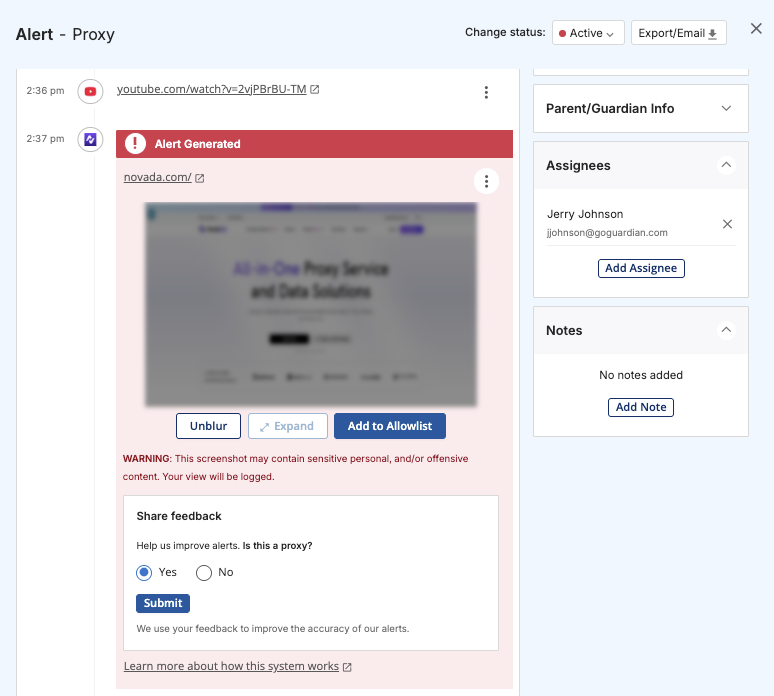
Smarter diagnostics - Automated recommendations help IT teams quickly resolve issues such as proxy misconfigurations or filtering conflicts, often without needing to visit campuses in person.
Stable performance - From waking devices from sleep to reconnecting after network drops, GoGuardian is built to stay responsive and reliable, even in schools with fluctuating connectivity.
Supporting equity across rural and urban Tennessee districts - Technology equity looks different across Tennessee. Some districts manage 1:1 programs, while others rely on shared carts, lab environments, or rotating devices. GoGuardian supports these models with:
- Multiple authentication options for shared Windows devices
- Consistent filtering and monitoring across login types
- Accessibility support for screen readers and assistive technologies
This flexibility allows administrators to deliver consistent student safety protections and instructional tools, regardless of device availability or location.
Stronger, more reliable support across the GoGuardian suite
Tennessee administrators need confidence that student safety tools work everywhere, not just in the browser or on a single platform. That’s why GoGuardian delivers robust, platform-agnostic coverage across the full suite.
GoGuardian Admin
Advanced proxy detection now delivers up to 18x greater accuracy, helping districts enforce policies consistently across Windows environments and maintain compliance with student safety expectations.
GoGuardian Teacher
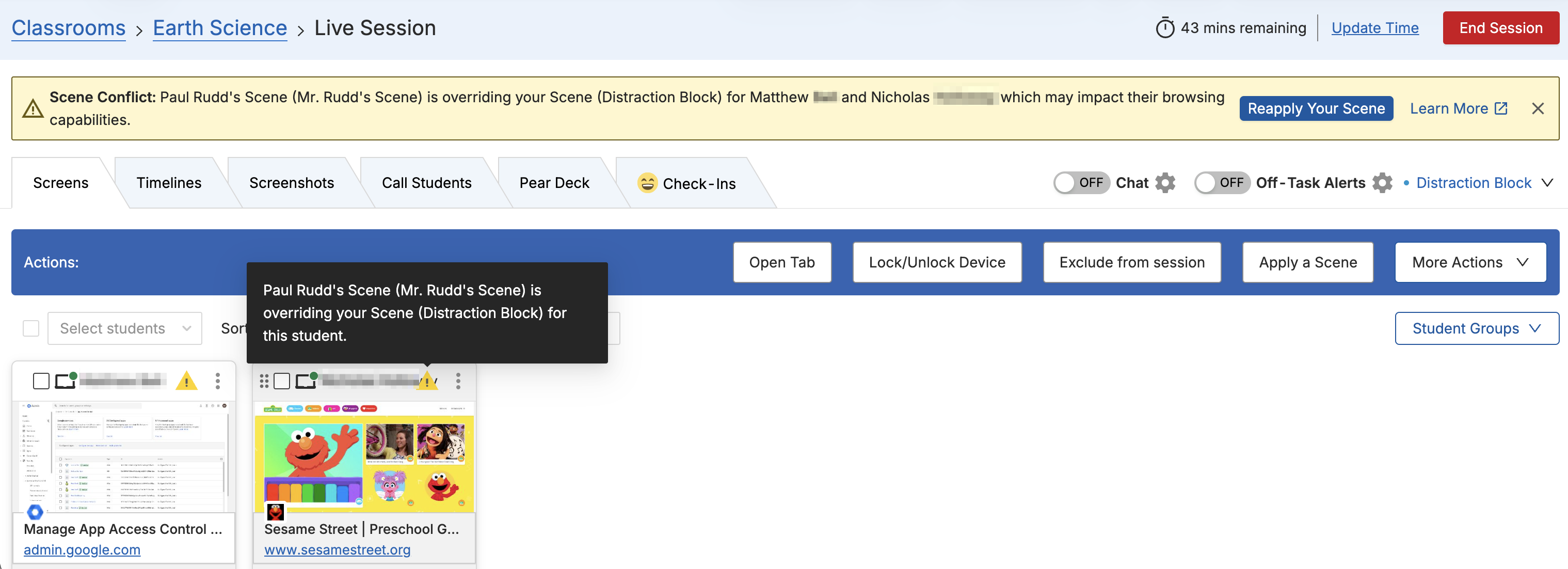
Teachers benefit from stable classroom connections, persistent sessions, and improved lock-screen functionality, which support smooth instruction even under challenging network conditions.
GoGuardian Beacon
Beacon’s Microsoft Outlook API integration extends student safety to email activity on Windows devices, providing browser-independent visibility and comprehensive student protection.
A trusted partner for Tennessee K–12 administrators
GoGuardian doesn’t take sides on devices because Tennessee districts shouldn’t have to choose between flexibility and reliability. Every feature, update, and enhancement is designed to support districts navigating mixed platforms, shared devices, and real-world connectivity challenges.
Tennessee administrators can count on GoGuardian to be:
- Reliable: Consistent performance across Windows and Chrome
- Equitable: Designed for rural and urban districts alike
- Efficient: Diagnostics that reduce IT workload
- Effective: Unified safety and learning support across GoGuardian Admin, Teacher, and Beacon
Experience how GoGuardian supports Tennessee schools
Want to learn how GoGuardian can support your Tennessee district’s unique technology environment? Request a demo today and see how our platform delivers reliable student safety and learning support.

GoGuardian Team
Related Posts
How GoGuardian Can Help Your District Manage AI Governance
Education leaders share what districts are already facing, and how GoGuardian helps.
Better Screen Time Policy Starts with Asking Better Questions
As states weigh classroom screen time limits, education leaders urge a nuanced approach focused on quality instruction, educator trust, and future readiness.

Rethinking Screen Time: What District Leaders Actually Recommend
As districts reconsider 1:1 devices over screen time concerns, education leaders say the answer isn't fewer devices, but more intentional instruction.
Bring the power of GoGuardian to your school or district today.