

Reliable Student Safety and Learning Support for Georgia Schools, No Matter the Device
Jump to Section
Want to see more?
Bring the power of GoGuardian to your school or district today.
Summary
- Georgia school districts operate across a wide spectrum, from large metro systems to fast-growing suburban communities and rural districts, each with unique technology needs and staffing realities.
- GoGuardian delivers consistent filtering, oversight, and classroom support across operating systems, helping districts maintain instructional momentum while supporting teacher confidence.
- With strong investments in Windows performance, simplified deployment tools like ADMX templates, and unified functionality across Admin, Teacher, and Beacon, GoGuardian helps Georgia districts maximize instructional time while reducing IT complexity and cost.
Georgia school districts are as diverse as the communities they serve. From large metro systems like those in Atlanta to smaller rural districts across the state, K–12 leaders are balancing lack of funding, student safety requirements, limited IT resources, and a mix of device environments.
In many Georgia classrooms, teachers are managing a diverse array of devices within the same school, or even the same classroom. At the same time, districts are working to streamline costs, reduce tool sprawl, and ensure every student has access to a safe and engaging learning environment.
GoGuardian is built to support this reality. Our platform is designed to work seamlessly across multiple operating systems and devices, helping Georgia districts maintain consistency, flexibility, and reliability without disruption to instruction.
Designed for every Georgia classroom
Instruction in Georgia classrooms depends on reliability. When digital tools lag, disconnect, or require constant troubleshooting, valuable instructional time is lost.
The GoGuardian suite, including Admin, Teacher, and Beacon, is fully optimized for a variety of operating systems, delivering a consistent experience across the devices most commonly used in Georgia schools.
GoGuardian Teacher is at the center of this experience, helping educators manage their classrooms with confidence. With persistent student connections, smoother session performance, and optimized classroom controls, teachers can focus on instruction instead of troubleshooting technology.
Whether students are learning on shared devices, rotating between labs, or working on 1:1 devices, GoGuardian ensures classroom tools work the way Georgia classrooms do: Flexible, dynamic, and focused on learning.
Built with Georgia districts in mind, GoGuardian supports:
- Persistent, stable classroom sessions in GoGuardian Teacher
- Consistent performance across Windows, Chromebooks, and Apple devices
- Flexible device and login environments for mixed classrooms
Supporting teachers and maximizing instructional time
Georgia educators are balancing growing expectations with limited time. Every minute spent resolving technical issues is a minute taken away from instruction.
GoGuardian Teacher is designed to minimize that friction. With improved session stability, reliable student connections, and intuitive classroom management tools, teachers can confidently guide digital learning without interruption.
Features like optimized lock-screen functionality and improved connection handling help ensure classroom management remains smooth, even in environments with fluctuating network conditions or shared devices.
This reliability helps teachers focus on what matters most: Delivering engaging instruction and supporting student success.
Support that reduces IT burden and total cost of ownership
Many Georgia districts (especially smaller or rural systems) operate with lean IT teams. For these districts, ease of deployment and ongoing manageability are critical.
GoGuardian has made significant investments in simplifying deployment and improving Windows performance and reliability.
Key enhancements include:
- Simplified deployment with ADMX templates: Guided configuration tools help IT administrators deploy policies quickly and accurately across Windows environments.
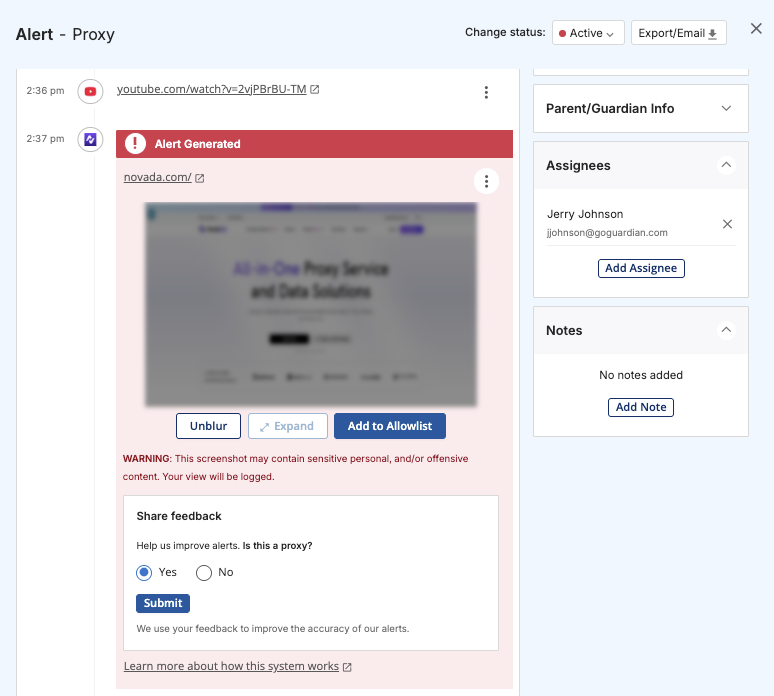
- Smarter diagnostics: Human-readable error messages and automated recommendations help IT teams quickly identify and resolve issues such as proxy misconfigurations or filtering conflicts.
- Stable performance: GoGuardian remains responsive during device startup, sleep, and network reconnection, reducing downtime and support requests.
By consolidating multiple capabilities into a single platform rather than relying on multiple point solutions, GoGuardian helps Georgia districts reduce complexity, streamline support, and improve overall cost efficiency.
Supporting innovation across Georgia districts
Georgia districts are continually evolving, adopting new devices, exploring blended learning models, and expanding digital instruction.
GoGuardian is built to support that innovation without disruption. Whether districts are scaling 1:1 programs, supporting shared device environments, or managing mixed operating systems, our platform provides the flexibility and reliability needed to adapt with confidence.
With support for a mix of devices, along with accessibility features and cross-platform compatibility, GoGuardian helps ensure innovation can happen without sacrificing consistency or control.
This allows district leaders to move forward with new initiatives while maintaining a stable, secure foundation for learning.
Stronger, more reliable support across the GoGuardian suite
Georgia administrators need tools that work together seamlessly across platforms and environments. GoGuardian delivers unified capabilities across Admin, Teacher, and Beacon.
GoGuardian Admin
Advanced proxy detection delivers up to 18x greater accuracy, helping districts enforce filtering policies consistently and maintain visibility across Windows environments.
GoGuardian Teacher
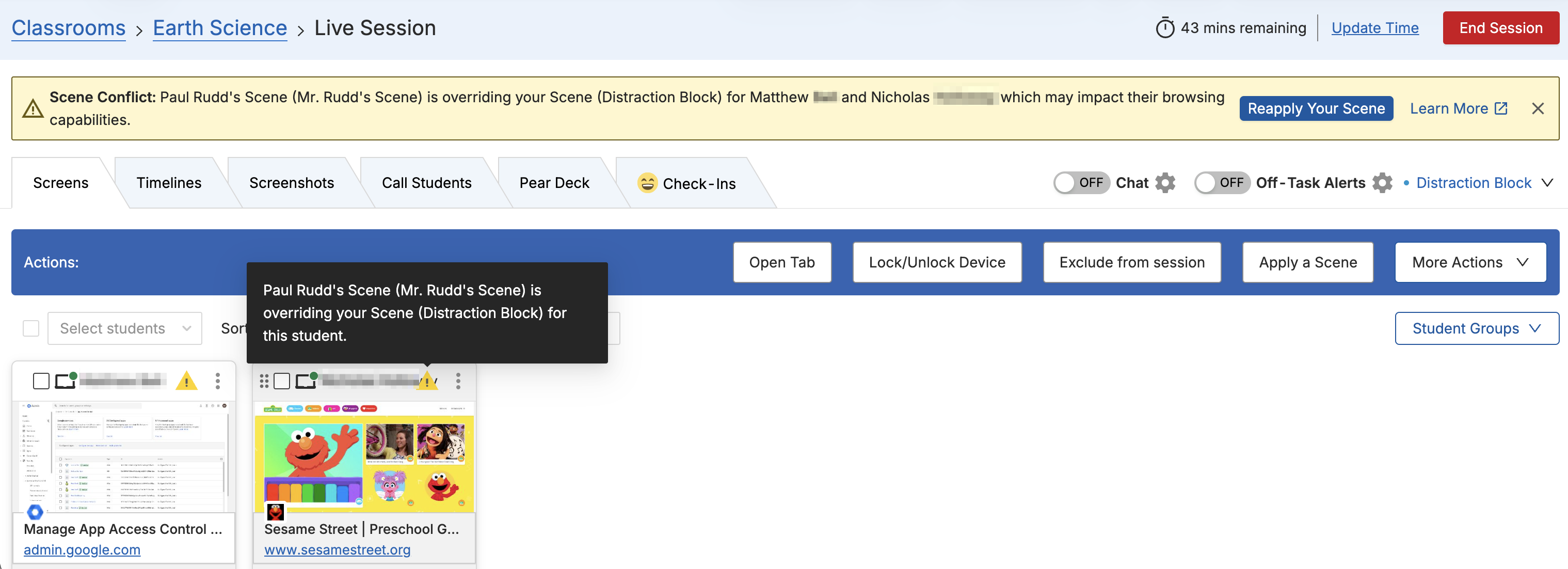
GoGuardian Teacher provides educators with stable, reliable classroom management, featuring persistent connections, smoother sessions, and improved control over student activity, helping maximize instructional time.
GoGuardian Beacon
Beacon’s Microsoft Outlook API integration extends student safety coverage to email activity on Windows devices, providing browser-independent visibility and comprehensive student protection.
A trusted partner for Georgia K–12 leaders
GoGuardian doesn’t take sides on devices because Georgia districts need flexibility, not limitations.
Every feature, update, and enhancement is designed to support districts operating in real-world conditions: Mixed devices, diverse classrooms, and evolving instructional needs.
Georgia administrators can count on GoGuardian to be:
- Reliable: Consistent performance across Windows and Chrome environments
- Flexible: Built to support mixed-device classrooms and evolving district needs
- Efficient: Simplified deployment and diagnostics that reduce IT workload
- Effective: Unified student safety and instructional support across Admin, Teacher, and Beacon
Experience how GoGuardian supports Georgia schools
Want to learn how GoGuardian can support your Georgia district’s technology environment?
Request a demo today and see how our platform delivers reliable student safety and learning support built for the way Georgia classrooms work.

GoGuardian Team
Related Posts
Better Screen Time Policy Starts with Asking Better Questions
As states weigh classroom screen time limits, education leaders urge a nuanced approach focused on quality instruction, educator trust, and future readiness.
Rethinking Screen Time: What District Leaders Actually Recommend
As districts reconsider 1:1 devices over screen time concerns, education leaders say the answer isn't fewer devices, but more intentional instruction.
Why Quality Matters More Than Quantity When It Comes to Screen Time
Education leaders say focus less on screen time limits and more on how technology supports student learning.
Bring the power of GoGuardian to your school or district today.