

The #1 choice for K-12 web filtering
Create safer, more focused classrooms with a single dashboard to manage filtering policies across users, devices, operating systems, and browsers.
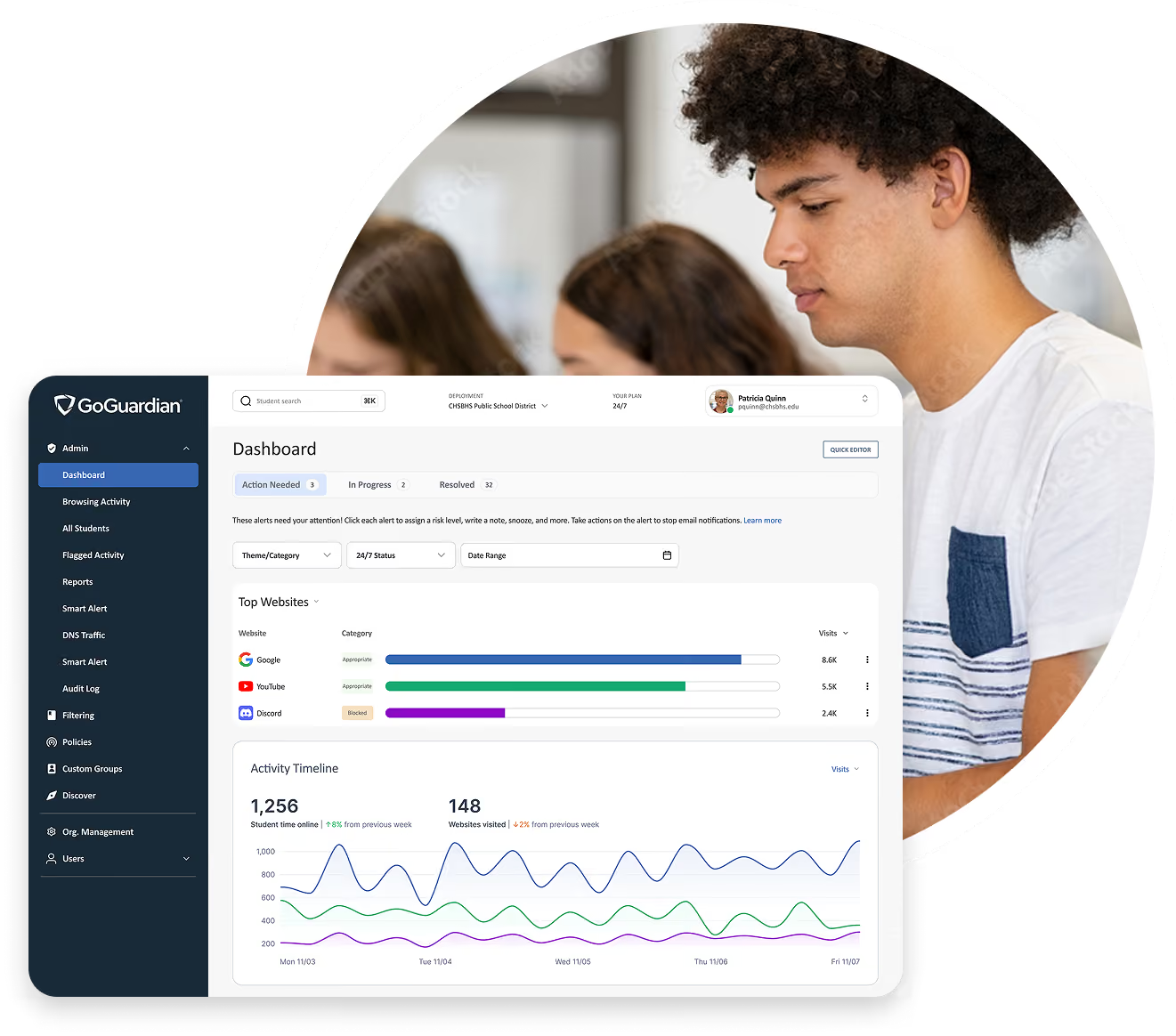
Market-leading scale across every OS



A comprehensive solution for total protection
GoGuardian Admin delivers flexible, intelligent filtering that ensures safer students and simplifies compliance.
AI-powered filtering and flexible policy control
GoGuardian Admin uses advanced AI and ML to dynamically categorize and block harmful or distracting content, giving administrators precision control over every student's digital experience.
Proactive proxy defense
Flexible and granular control
Off-campus consistency
.avif)
Seamless filtering across your entire device fleet
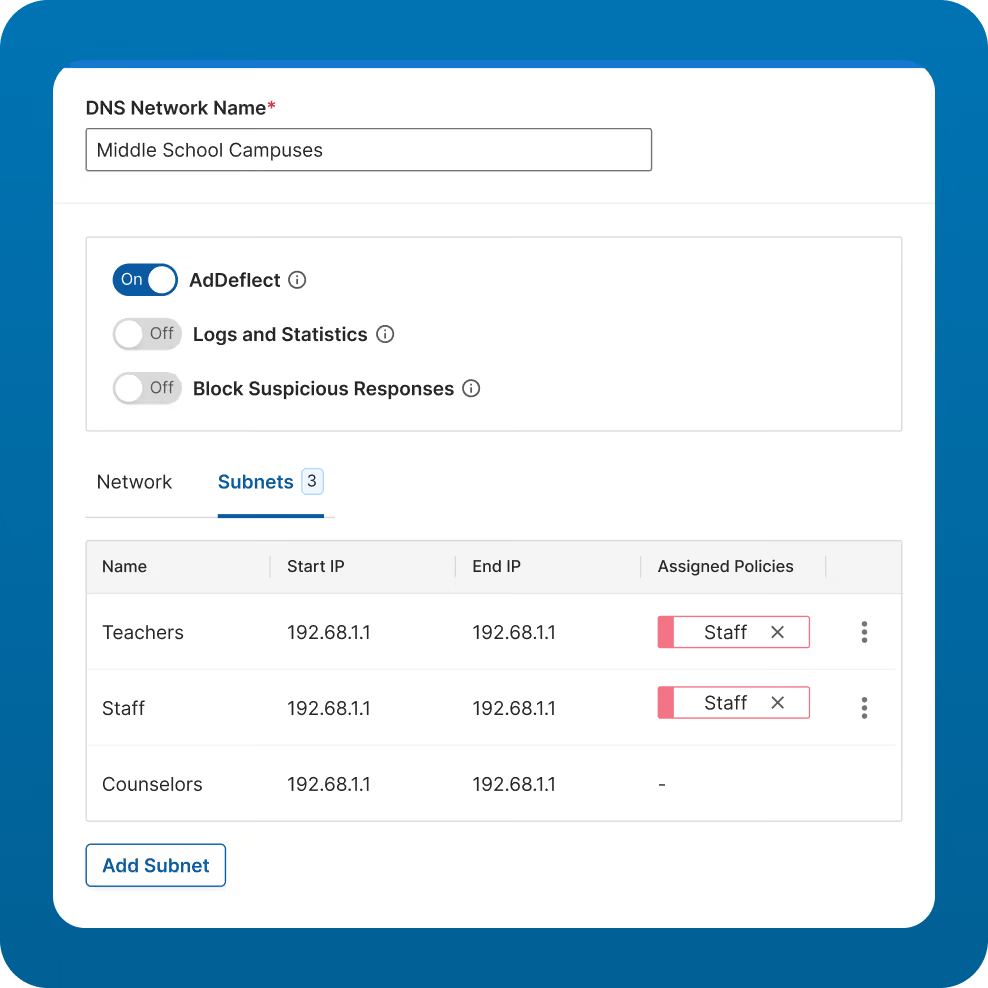
GoGuardian Admin delivers a single, unified interface for setting filtering policies and reporting across ChromeOS, Windows, and macOS devices. Powerful DNS-protection helps schools comply with CIPA across BYOD, guest networks, and unmanaged devices, all managed from the same dashboard.
Actionable reporting, audit logs, and theft recovery for ultimate compliance
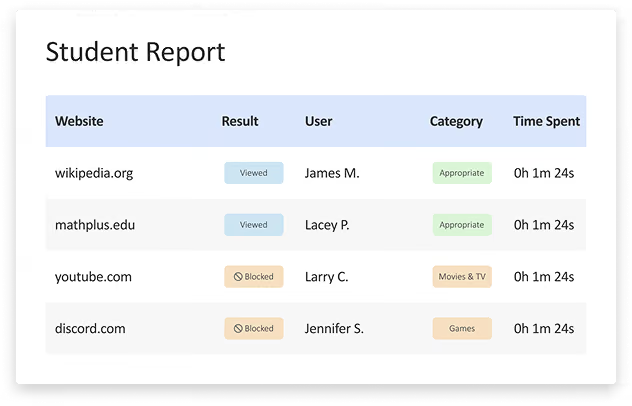
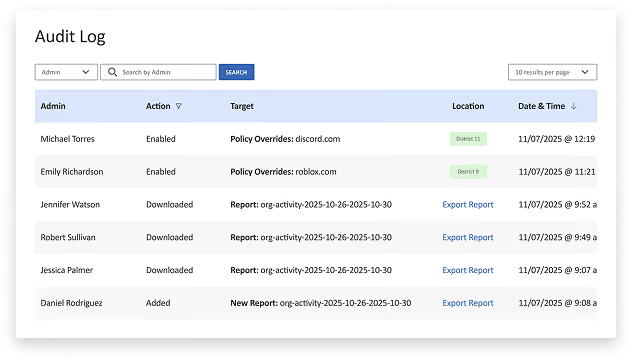
Get the visibility you need with detailed student browsing reports, comprehensive audit logs, and a policy checker to validate filtering rules.
- GoGuardian Admin reporting helps schools meet CIPA, FERPA, and local district policies.
- Use Theft Recovery Mode to track the location of lost or stolen devices and apply restrictive filtering.
.avif)
See how GoGuardian Admin stacks up against the competition
Web Filtering | GoGuardian | Lightspeed | Linewize | Securly | Blocksi |
|---|---|---|---|---|---|
AI/ML-powered filtering and powerful database | Included | Included | Included | Included | Not Included |
Granular, customizable, and flexible policy controls | Included | Included | Included | Included | Included |
User-friendly interface for seamless control | Included | Not Included | Not Included | Not Included | Not Included |
Actionable insights for data-driven decision-making | Included | Included | Not Included | Included | Included |
Advanced search capabilities | Included | Not Included | Not Included | Not Included | Not Included |
Customizable block pages | Included | Included | Included | Included | Not Included |
Streamlined user experience with single sign-on (SSO) | Included | Included | Not Included | Included | Included |
Quick and simple implementation | Included | Not Included | Included | Included | Included |
Highly scalable solution for expanding environments | Included | Included | Included | Included | Not Included |
Automatically scans and categorizes new sites for proactive threat mitigation | Included | Included | Included | Included | Not Included |
Comprehensive reporting capabilities | Included | Included | Not Included | Not Included | Included |
Granular YouTube filtering | Included | Included | Included | Included | Included |
Create custom groups for set periods of time for flexible policy enforcement | Included | Not Included | Not Included | Included | Not Included |
Supports BYOD, guest network, and unmanaged devices | Included | Included | Included | Included | Not Included |
Industry-leading uptime and reliability | Included | Not Included | Not Included | Not Included | Not Included |
Professional Services
Make the most of your investment from day one
Our professional services are tailored for your school so your staff feels confident using GoGuardian products.
.webp)
By the Numbers
25M+
Supporting 50% of US K-12 students
2.4B+
browsing events processed each day
689M
web pages scanned each day
Better Together
Unifying student safety and classroom learning.
GoGuardian Admin works with GoGuardian Teacher and GoGuardian Beacon to move your district beyond just compliance to achieve holistic student support. No separate consoles, no lost context, and an immediate connection between identified online risk, instructional insights, and crisis response.
What educators are saying about GoGuardian?
"I love the fact you can give access to YouTube for certain types of videos or allowlist certain types of videos."
Redding School District
"With GoGuardian, it is very simple to adjust the filters for different groups of students."
Hamilton Township School District
“We recommend it for any school district where you have people coming from off-site. If you have any events - football games, pageants, assemblies, a job day, or programs where parents, family, or vendors come - DNS filtering is great for that because we can allow everybody in and have access to our network, and our network and their privacy is safe. It's a win-win for both sides."
Camdenton School District
“What we really liked about GoGuardian was the ease of use and the ease of install. I loved the fact that with GoGuardian I was up and running in literally three minutes.”
Chagrin Falls School District
What questions are customers asking?
GoGuardian Admin continuously uses Machine Learning (ML) and Artificial Intelligence (AI) to analyze site content, images, and context. This allows us to proactively categorize and block emerging threats, harmful content, and explicit images, including sites that traditional keyword-based filters miss.
Yes. GoGuardian Admin allows for highly granular policy customization. You can easily create distinct filtering rules for specific Organizational Units (OUs) synced from your Google Admin Console, ensuring age-appropriate and relevant access for every student group.
GoGuardian Admin provides intelligent filtering beyond simple blocking. With YouTube, you can control access down to the video level or block specific categories.
GoGuardian leverages AI and ML to categorize millions of sites daily. For maximum security, districts can automatically block uncategorized sites to prevent students from accessing brand-new, emerging, or unknown sites, providing a powerful safety net for students.
GoGuardian Admin is a key component for meeting federal regulations, including CIPA, FERPA, and COPPA. We help schools achieve CIPA compliance by providing the required technology protection measures (filtering) and oversight of minors' online activities. Furthermore, our strict data privacy practices are independently verified with an iKeepSafe COPPA Safe Harbor seal, ensuring we safeguard student data and privacy.
Yes. GoGuardian Admin is a multi-platform solution designed to work across the diverse devices found in K-12 environments. It supports filtering for ChromeOS, macOS, iPadOS, and Windows devices. This ensures consistent policy enforcement, detailed reporting, and student safety, regardless of the device type used for learning.
Contact our sales department
We’ll be in touch quickly to learn more about your needs.