

11 Reasons GoGuardian Teacher Is the Top Classroom Management Tool for K-12 Educators
Jump to Section
Want to see more?
Bring the power of GoGuardian to your school or district today.
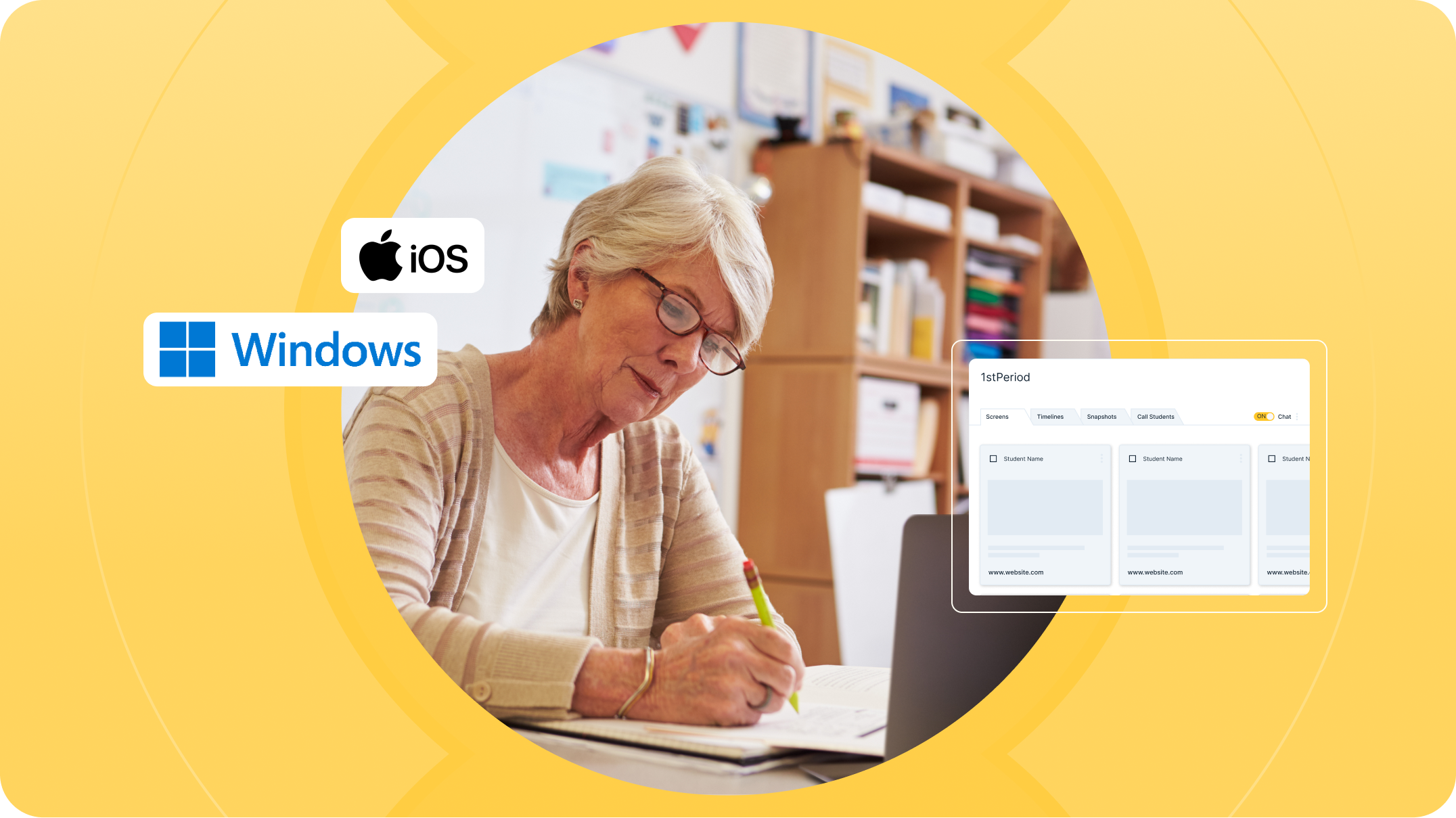
Educators have never had to juggle more. Teaching, grading, professional development…the list goes on. Technology for the classroom should not be one more “thing” that interrupts the incredibly important work teachers do. GoGuardian Teacher is a solution, not a roadblock to this vital part of their job: Helping students focus on what they’ll need to know to succeed.
Trusted by over 1.9 million educators and supporting more than 15.3 million students, GoGuardian Teacher helps foster focused learning environments and provides teachers with the control and visibility they need to guide digital instruction.
Here’s why teachers and districts choose GoGuardian Teacher over the rest:
1. GoGuardian Teacher was designed with real educators in mind. Its layout is clean, simple, and intuitive, allowing teachers to focus on teaching rather than wasting precious minutes learning how to navigate complicated tools.
2. GoGuardian Teacher supports iOS as well as Windows operating systems, enabling educators and students to stay connected and on-task across even more types of devices.
3. Whether you're teaching in a 1:1 device environment or managing group-based learning, GoGuardian Teacher adapts to your classroom setup with ease.
4. With quicker screen refreshes, teachers get more accurate, up-to-date views of what students are doing online, crucial for keeping the class on track.
5. Teachers can open a private two-way chat with students to help answer questions, provide support, or offer gentle redirection, ensuring classroom flow is maintained without disruption.
6. Need to use a website for a lesson that’s usually blocked? Teachers can temporarily unlock a site — no need to call IT, and district protections stay in place.
7. GoGuardian Teacher supports direct audio and video conferencing, making instruction easier and more seamless, no matter the circumstance.
8. Teachers can guide students’ attention by opening specific tabs or limiting browsing to selected sites, ensuring everyone stays focused on the task at hand.
9. GoGuardian Teacher is built to be dependable. Educators can start and manage sessions without worrying about unexpected issues or the tool not working when they need it.
10. Teachers can team up to run the same class, great for co-teaching, working with support staff, or helping substitutes step in smoothly.
11. GoGuardian is constantly enhancing the teacher and admin experience based on user feedback, ensuring the platform evolves with the needs of modern classrooms.
Looking for a side-by-side comparison of GoGuardian Teacher versus other classroom management tools? Check out our detailed comparison chart to see why more teachers trust GoGuardian Teacher to power digital instruction.
Want to learn more? Request your free demo today.

GoGuardian Team
Related Posts

Back-to-School Best Practices: Setting your GoGuardian Teacher Account Up for Success
Make the most of GoGuardian Teacher for an engaging school year by using our back-to-school checklist.
Explore the Enhanced GoGuardian Teacher for a New School Year
GoGuardian Teacher offers enhanced functionality for the upcoming school year.
How to Use Chromebook Monitoring Software to Protect Students
Keep students safe online with Chromebook monitoring software.
Bring the power of GoGuardian to your school or district today.